Mac app · Free · Productivity
Uplist
To-do lists and a task board, for the Mac.
A to-do app that stays out of your way. No account, no subscription, no sign-up form standing between you and your list.
What it does
The whole day, one window.
Board
A board you can drag
Three columns: To-do, In progress, Done. Drag a card from one to the next and its status changes. The Done column shows the last seven days, so it stays a record of progress rather than an ever-growing pile.
Calendar
Today, at a glance
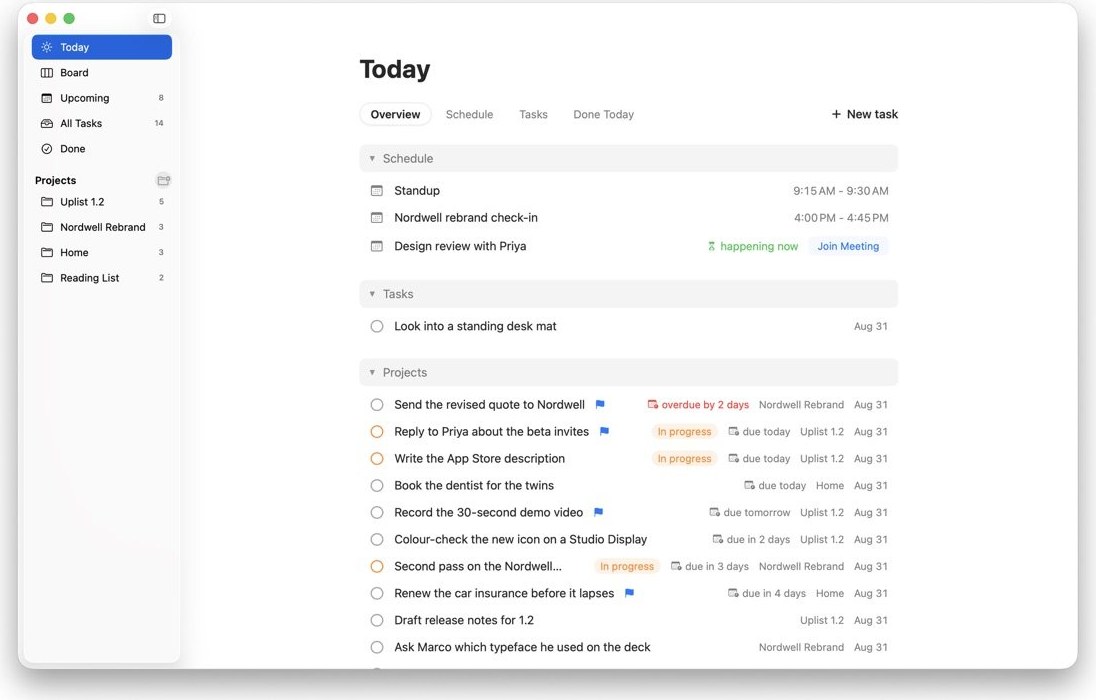
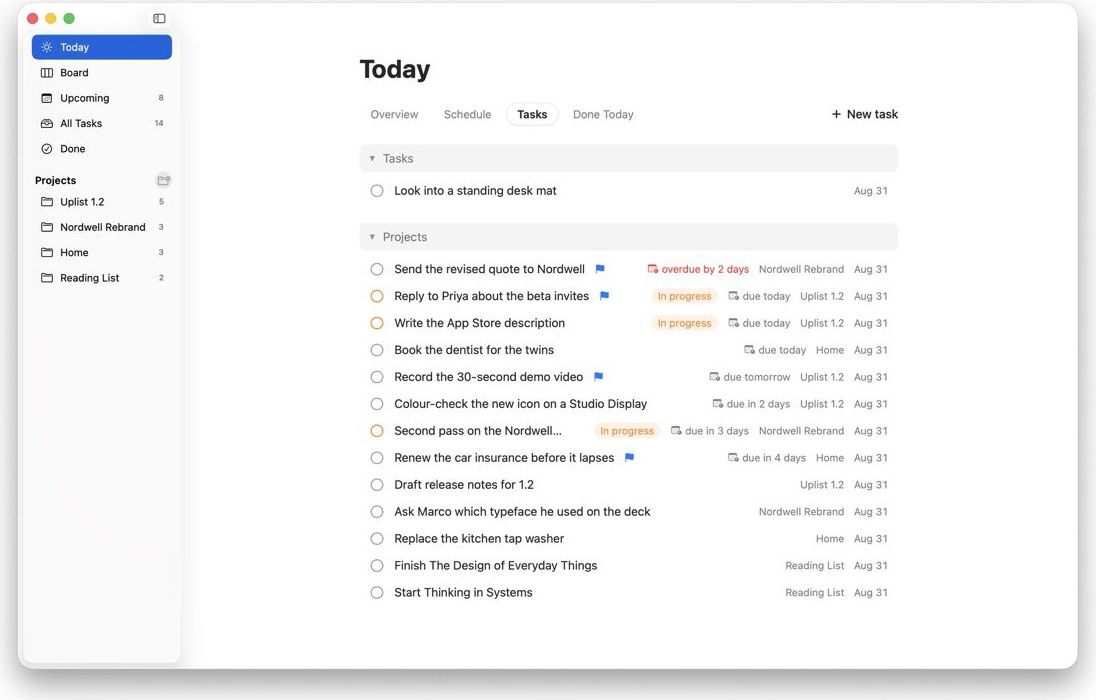
Your meetings and your tasks sit on one screen instead of in two apps. See what is happening now, what is due today and what you have already finished.
Projects
Lists that keep things apart
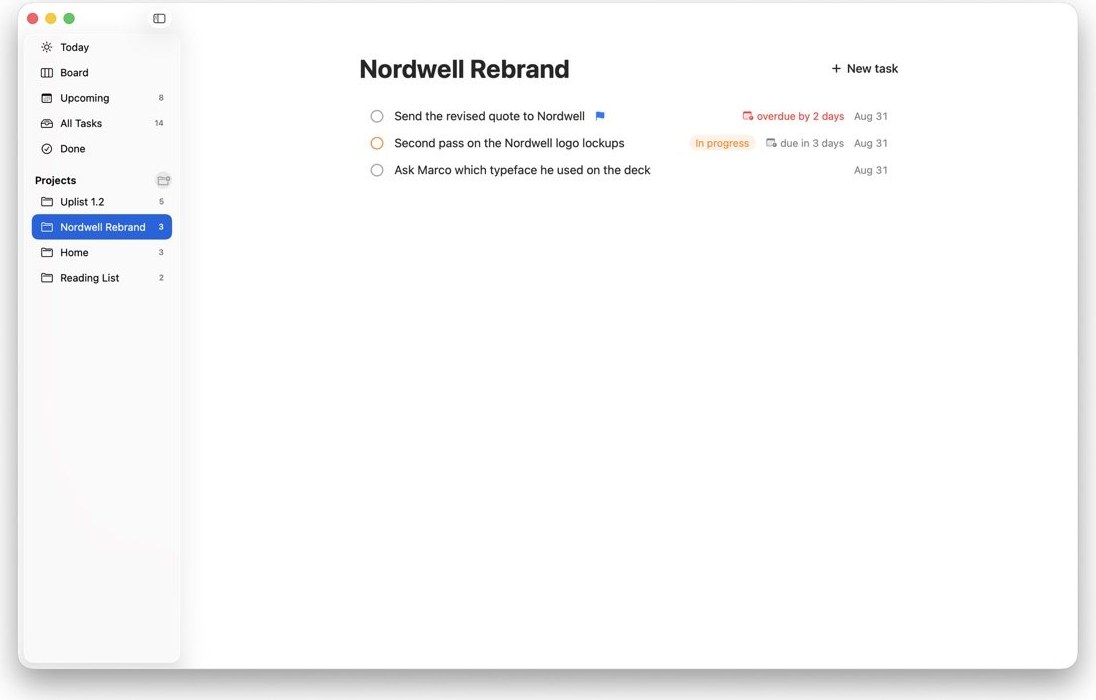
Client work in one place, home in another, and a single view when you want to see everything at once. Overdue is called out plainly; flag the handful that really matter.
iCloud sync
Your list on every Mac
Turn on iCloud and your tasks follow you to your other Mac and survive reinstalling the app. If two Macs ever disagree, Uplist keeps both versions and tells you.
Theming
Make it look right
Light, dark or follow the system. Three text sizes. Choose your own accent colour and your own colours for to-do, in-progress and done.
Apple Intelligence
On macOS 26, a second opinion
Uplist can explain what a vaguely worded task actually involves and summarise what you finished. It runs on your Mac; if your Mac does not support it, nothing else changes.
Your tasks stay on your Mac.
Uplist keeps your list in a file on your Mac. It does not collect usage data and it does not need an account. Turn on iCloud and the same list follows you between your Macs, through your own account.
- Where tasks live
- An ordinary file on your Mac
- Sync
- Your own iCloud, if you turn it on
- Data collected
- None
- Built with
- SwiftUI, for macOS 14 and later
Questions
Is there an iPhone version?
Not today. Uplist is a Mac app, written in SwiftUI for macOS 14 and later. With iCloud turned on, your list follows you between your Macs and survives reinstalling the app.
What does it cost?
Nothing. Uplist is free on the Mac App Store, with every feature included.
What happens if two Macs edit the same list?
Uplist keeps both versions and tells you, so you decide which one wins. Nothing is quietly thrown away.
Sync is not updating on my other Mac.
Check that both Macs are signed in to the same Apple ID and that iCloud Drive is turned on in System Settings.